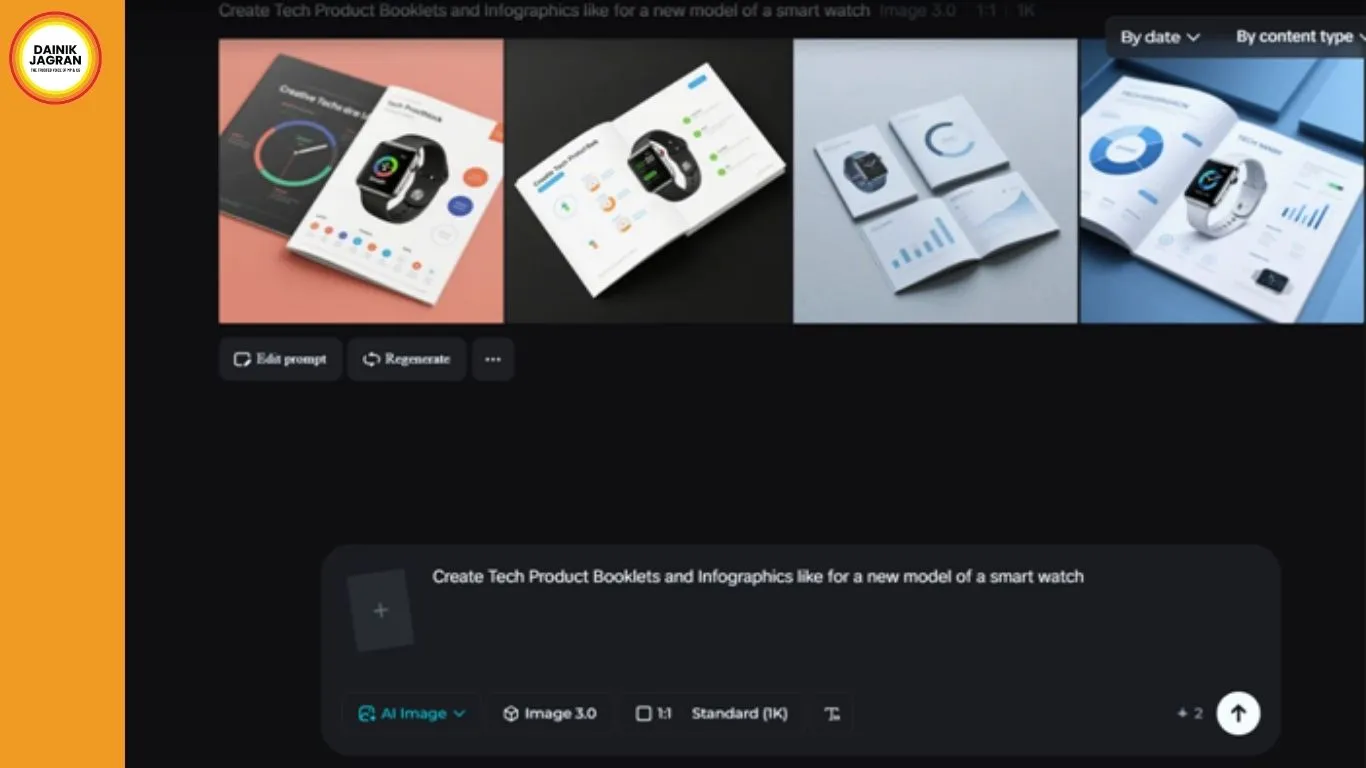
In addition, there are cases where products are accompanied by complex features, technologies, and instructions. This is particularly true for tech products. Whether it is a smart gadget, software, or a unique tech product, companies require visuals to communicate effectively with their clients about their products. This is where tools like an AI image generator are incredibly useful for designers and artists.
For instance, rather than using conventional photographs and illustrations, designers can create unique visuals to communicate effectively with clients about a product's features, processes, and benefits using tools like Dreamina. With the appropriate strategy, AI-generated visuals can change complex product information into compelling and easily digestible visuals.
Why visual communication is critical in tech products
Generally, tech products are often associated with documentation. There are cases where a customer may require a booklet or a guide to understand how a gadget works. However, there are cases where a customer may not easily digest long paragraphs of text.
Visual storytelling makes it easier to understand technical content. Users can easily understand the functions of the products they are using by seeing images such as diagrams and device images.
Infographics can be used to describe:
• Product installation process
• Device components and connections
• Feature comparisons
• Workflow infographics for software platforms
These images help both novice and expert users understand the content.
Benefit 1: simplifying complex technical explanations
Technical content often requires several steps or components. The content may be confusing without images.
Graphics generated by AI technology can be used to represent the ideas visually, and the content will be more understandable. Rather than using long sentences to describe each step, images can be used to demonstrate the process.
For example, a booklet about a smart home device can use images to describe the connection process with the mobile app or other devices.
Benefit 2: faster creation of visuals for product launches
Tech companies often launch products with marketing campaigns that have short marketing periods. Product manuals, marketing booklets, and infographics must be created before product launches.
AI tools help create product visuals faster. For example, multiple product illustrations can be created in a few minutes by modifying input parameters and prompts.
This helps create more product visuals within a shorter period. For instance:
• Multiple visual designs for product guides can be created
• Product booklet designs an be updated in case of product feature changes
• Additional infographics for marketing campaigns can be created
Instead of waiting for longer periods for illustration creation, multiple visuals can be created in a short period of time.
Benefit 3: ensuring visual uniformity in materials created
Product booklets, marketing guides, and infographics must have uniform designs. Otherwise, the overall look of the materials may seem disorganized and unprofessional.
AI tools help create uniform designs for infographics and product booklets. For example, multiple infographics can be created with uniform designs by inputting similar parameters and design prompts. This helps ensure that all infographics in a product booklet have uniform designs.
The design teams can ensure consistency in the following elements:
• Device illustrations
• User interaction scenes
• Technical workflow diagrams
This will ensure the overall readability of the product materials.
Benefit 4: exploring creative infographic styles
The product materials don't need to be dull and mechanical in their presentation. They can include infographics, which attractively present information.
The tools, which are inspired by the AI art generator, allow designers to be more creative with the styles, yet keep the information content high. Designers can explore the following creative styles:
• Minimal futuristic design themes
• Clean flat styles for instruction manuals
• Soft gradient styles for tech platforms
This will ensure the product materials are more engaging and creative.
2.png) Benefit 5: enhancing the ease of use for product guides
Benefit 5: enhancing the ease of use for product guides
One of the most significant considerations for any product booklet is clarity. If customers are not able to understand the instructions provided, they may find the experience frustrating.
Using AI-generated images helps to bridge the gap between the technical and the understandable. While customers are able to understand the images provided, such as diagrams, images of devices, and images of user interactions, they are able to understand the information provided more easily.
This enhances:
• User experiences
• Customer satisfaction
• Product usability
Clear images help remove confusion and allow the user to feel confident using the technology.
Benefit 6: converting product visuals into promotional videos
The product materials created, such as the visuals for the infographics and booklets, can be repurposed as promotional materials. For example, the infographics created to explain the features of the product can be used to create promotional graphics for social media.
Using Dreamina's AI video generator, creators can make videos based on text prompts or image references that demonstrate product images in a presentation style. Rather than using animations for these, the AI creates a video version of the described scene. Beyond simple generation, its Seedance 2.0 helps you create product clips with synced audio.
Such videos are commonly used for:
• Product feature highlights
• Digital launches
• Technology explanations for online viewers
The emphasis is on creating a video based on the description or image provided, enabling companies to increase their visual content without using complicated video editing.
From prompt to product graphic: Designing with Dreamina
Designing professional images for booklets and infographics is simplified with a simple and organized process. Dreamina has streamlined the process so that images can be designed and created easily.
Step 1: Write a text prompt
To begin, the user needs to enter Dreamina and open the creative workspace. Rather than choosing the image generator option, the user should focus on creating a detailed text prompt for an image of a human interacting with technology pertinent to the product.
For example: Design a modern technology product booklet illustration featuring a professional information technology specialist dressed in a business-casual outfit and utilizing a smart tablet computer device in a futuristic work environment filled with various computer interface and technology imagery.
This prompt effectively expresses the environment, character, and purpose of the image.
.png)
Step 2: Modify parameters and create
The next step is to adjust the parameters for the generated image. You should select a suitable model for generating the image, which should be clear and professional in illustration.
The aspect ratio of the image should be chosen according to your requirements. For a booklet, a vertical shape is appropriate. The image size should also be chosen according to your requirements, such as a 1k resolution for a preview or a 2k resolution for a clearer printed copy. Finally, click on the icon of Dreamina to generate the image according to the parameters you have chosen.
.png)
Step 3: Personalize and download
Once you have created the image, you should customize it according to your requirements using the AI tools provided by Dreamina. You can use tools like inpainting to change some elements of the image, expand to change the layout of the image to a booklet style, remove to remove unnecessary items from the image, and retouch to enhance the details of the image.
Once you have finished designing the graphic, you can proceed to download it by clicking on the Download icon.
.png)
Designing product visuals that guide users
Good tech documentation is more about simplicity than complexity. If visuals and text are combined in an effective way, users can learn about a product more efficiently.
Some of the successful product guides are:
• Simple visual explanations
• Good layout and space between content
• Consistent style in illustrations
These are some of the features that can be incorporated into a successful product guide.
Final thoughts: designing tech visuals with Dreamina
Technology is changing the way companies design visuals for their product documents. Instead of using manual illustrations and generic images, companies can now use AI-powered tools to create customized visuals.
Dreamina is one such tool that has made it simpler for users to describe their ideas and convert them into visually appealing designs. Using this tool, users can create interesting illustrations for tech product booklets and infographics.
As technology is becoming more and more complex, it is essential to have visually appealing designs, and Dreamina can help users do just that.
-----------------------------

6 Benefits of AI Image Generation for Tech Product Booklets and Infographics
digital desk
In addition, there are cases where products are accompanied by complex features, technologies, and instructions. This is particularly true for tech products. Whether it is a smart gadget, software, or a unique tech product, companies require visuals to communicate effectively with their clients about their products. This is where tools like an AI image generator are incredibly useful for designers and artists.
For instance, rather than using conventional photographs and illustrations, designers can create unique visuals to communicate effectively with clients about a product's features, processes, and benefits using tools like Dreamina. With the appropriate strategy, AI-generated visuals can change complex product information into compelling and easily digestible visuals.
Why visual communication is critical in tech products
Generally, tech products are often associated with documentation. There are cases where a customer may require a booklet or a guide to understand how a gadget works. However, there are cases where a customer may not easily digest long paragraphs of text.
Visual storytelling makes it easier to understand technical content. Users can easily understand the functions of the products they are using by seeing images such as diagrams and device images.
Infographics can be used to describe:
• Product installation process
• Device components and connections
• Feature comparisons
• Workflow infographics for software platforms
These images help both novice and expert users understand the content.
Benefit 1: simplifying complex technical explanations
Technical content often requires several steps or components. The content may be confusing without images.
Graphics generated by AI technology can be used to represent the ideas visually, and the content will be more understandable. Rather than using long sentences to describe each step, images can be used to demonstrate the process.
For example, a booklet about a smart home device can use images to describe the connection process with the mobile app or other devices.
Benefit 2: faster creation of visuals for product launches
Tech companies often launch products with marketing campaigns that have short marketing periods. Product manuals, marketing booklets, and infographics must be created before product launches.
AI tools help create product visuals faster. For example, multiple product illustrations can be created in a few minutes by modifying input parameters and prompts.
This helps create more product visuals within a shorter period. For instance:
• Multiple visual designs for product guides can be created
• Product booklet designs an be updated in case of product feature changes
• Additional infographics for marketing campaigns can be created
Instead of waiting for longer periods for illustration creation, multiple visuals can be created in a short period of time.
Benefit 3: ensuring visual uniformity in materials created
Product booklets, marketing guides, and infographics must have uniform designs. Otherwise, the overall look of the materials may seem disorganized and unprofessional.
AI tools help create uniform designs for infographics and product booklets. For example, multiple infographics can be created with uniform designs by inputting similar parameters and design prompts. This helps ensure that all infographics in a product booklet have uniform designs.
The design teams can ensure consistency in the following elements:
• Device illustrations
• User interaction scenes
• Technical workflow diagrams
This will ensure the overall readability of the product materials.
Benefit 4: exploring creative infographic styles
The product materials don't need to be dull and mechanical in their presentation. They can include infographics, which attractively present information.
The tools, which are inspired by the AI art generator, allow designers to be more creative with the styles, yet keep the information content high. Designers can explore the following creative styles:
• Minimal futuristic design themes
• Clean flat styles for instruction manuals
• Soft gradient styles for tech platforms
This will ensure the product materials are more engaging and creative.
Benefit 5: enhancing the ease of use for product guides
One of the most significant considerations for any product booklet is clarity. If customers are not able to understand the instructions provided, they may find the experience frustrating.
Using AI-generated images helps to bridge the gap between the technical and the understandable. While customers are able to understand the images provided, such as diagrams, images of devices, and images of user interactions, they are able to understand the information provided more easily.
This enhances:
• User experiences
• Customer satisfaction
• Product usability
Clear images help remove confusion and allow the user to feel confident using the technology.
Benefit 6: converting product visuals into promotional videos
The product materials created, such as the visuals for the infographics and booklets, can be repurposed as promotional materials. For example, the infographics created to explain the features of the product can be used to create promotional graphics for social media.
Using Dreamina's AI video generator, creators can make videos based on text prompts or image references that demonstrate product images in a presentation style. Rather than using animations for these, the AI creates a video version of the described scene. Beyond simple generation, its Seedance 2.0 helps you create product clips with synced audio.
Such videos are commonly used for:
• Product feature highlights
• Digital launches
• Technology explanations for online viewers
The emphasis is on creating a video based on the description or image provided, enabling companies to increase their visual content without using complicated video editing.
From prompt to product graphic: Designing with Dreamina
Designing professional images for booklets and infographics is simplified with a simple and organized process. Dreamina has streamlined the process so that images can be designed and created easily.
Step 1: Write a text prompt
To begin, the user needs to enter Dreamina and open the creative workspace. Rather than choosing the image generator option, the user should focus on creating a detailed text prompt for an image of a human interacting with technology pertinent to the product.
For example: Design a modern technology product booklet illustration featuring a professional information technology specialist dressed in a business-casual outfit and utilizing a smart tablet computer device in a futuristic work environment filled with various computer interface and technology imagery.
This prompt effectively expresses the environment, character, and purpose of the image.
Step 2: Modify parameters and create
The next step is to adjust the parameters for the generated image. You should select a suitable model for generating the image, which should be clear and professional in illustration.
The aspect ratio of the image should be chosen according to your requirements. For a booklet, a vertical shape is appropriate. The image size should also be chosen according to your requirements, such as a 1k resolution for a preview or a 2k resolution for a clearer printed copy. Finally, click on the icon of Dreamina to generate the image according to the parameters you have chosen.
Step 3: Personalize and download
Once you have created the image, you should customize it according to your requirements using the AI tools provided by Dreamina. You can use tools like inpainting to change some elements of the image, expand to change the layout of the image to a booklet style, remove to remove unnecessary items from the image, and retouch to enhance the details of the image.
Once you have finished designing the graphic, you can proceed to download it by clicking on the Download icon.
Designing product visuals that guide users
Good tech documentation is more about simplicity than complexity. If visuals and text are combined in an effective way, users can learn about a product more efficiently.
Some of the successful product guides are:
• Simple visual explanations
• Good layout and space between content
• Consistent style in illustrations
These are some of the features that can be incorporated into a successful product guide.
Final thoughts: designing tech visuals with Dreamina
Technology is changing the way companies design visuals for their product documents. Instead of using manual illustrations and generic images, companies can now use AI-powered tools to create customized visuals.
Dreamina is one such tool that has made it simpler for users to describe their ideas and convert them into visually appealing designs. Using this tool, users can create interesting illustrations for tech product booklets and infographics.
As technology is becoming more and more complex, it is essential to have visually appealing designs, and Dreamina can help users do just that.
-----------------------------
.jpg)